

Online-Shop
Buchungen
Events
Pop-up
Delivery Date Pro
von
Delivery and pickup dates with slots at checkout
Noch keine Bewertungen
Kostenloses Paket verfügbar

Delivery Date Pro - Überblick
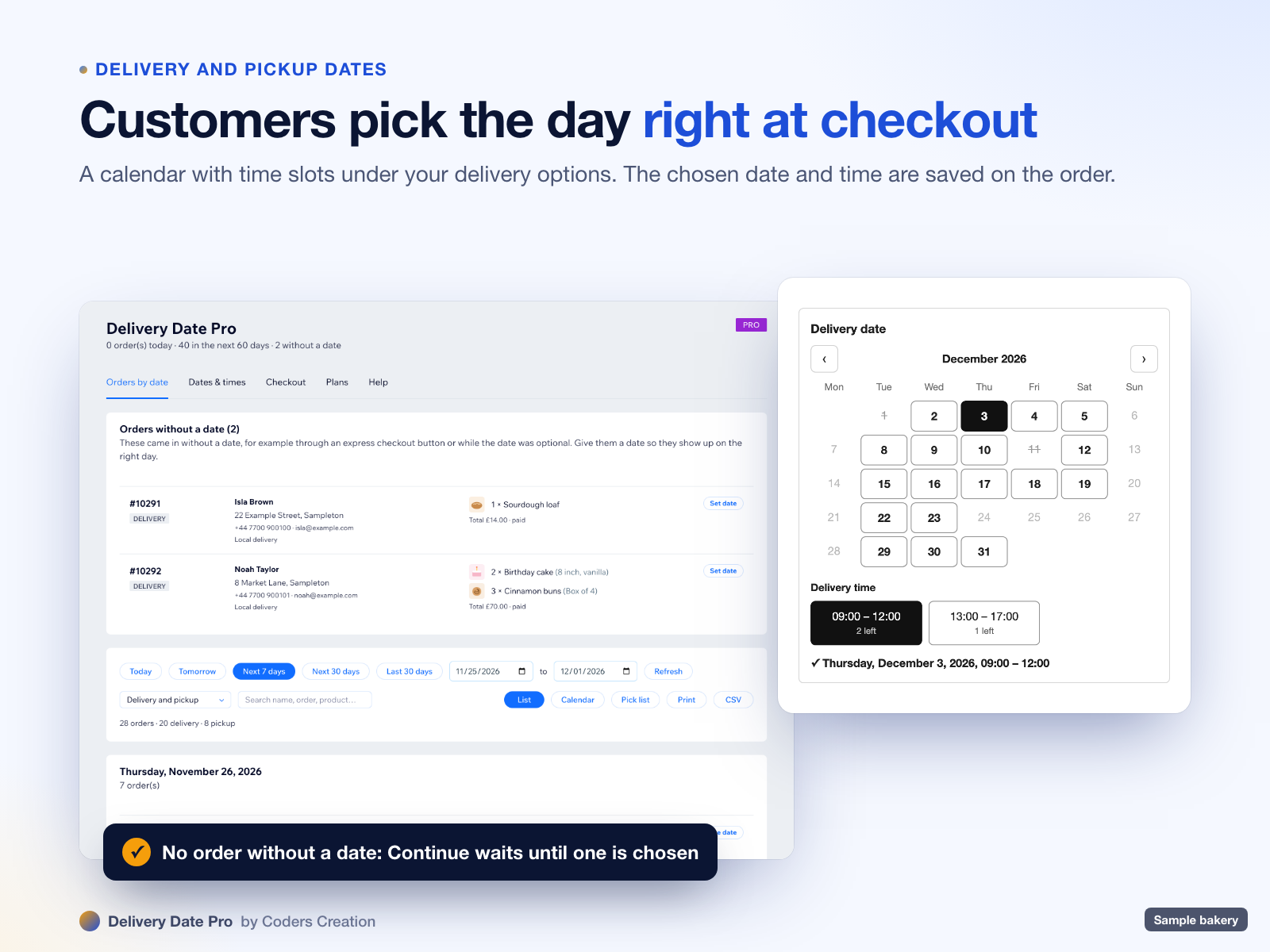
- Customers pick a delivery or pickup date at checkout
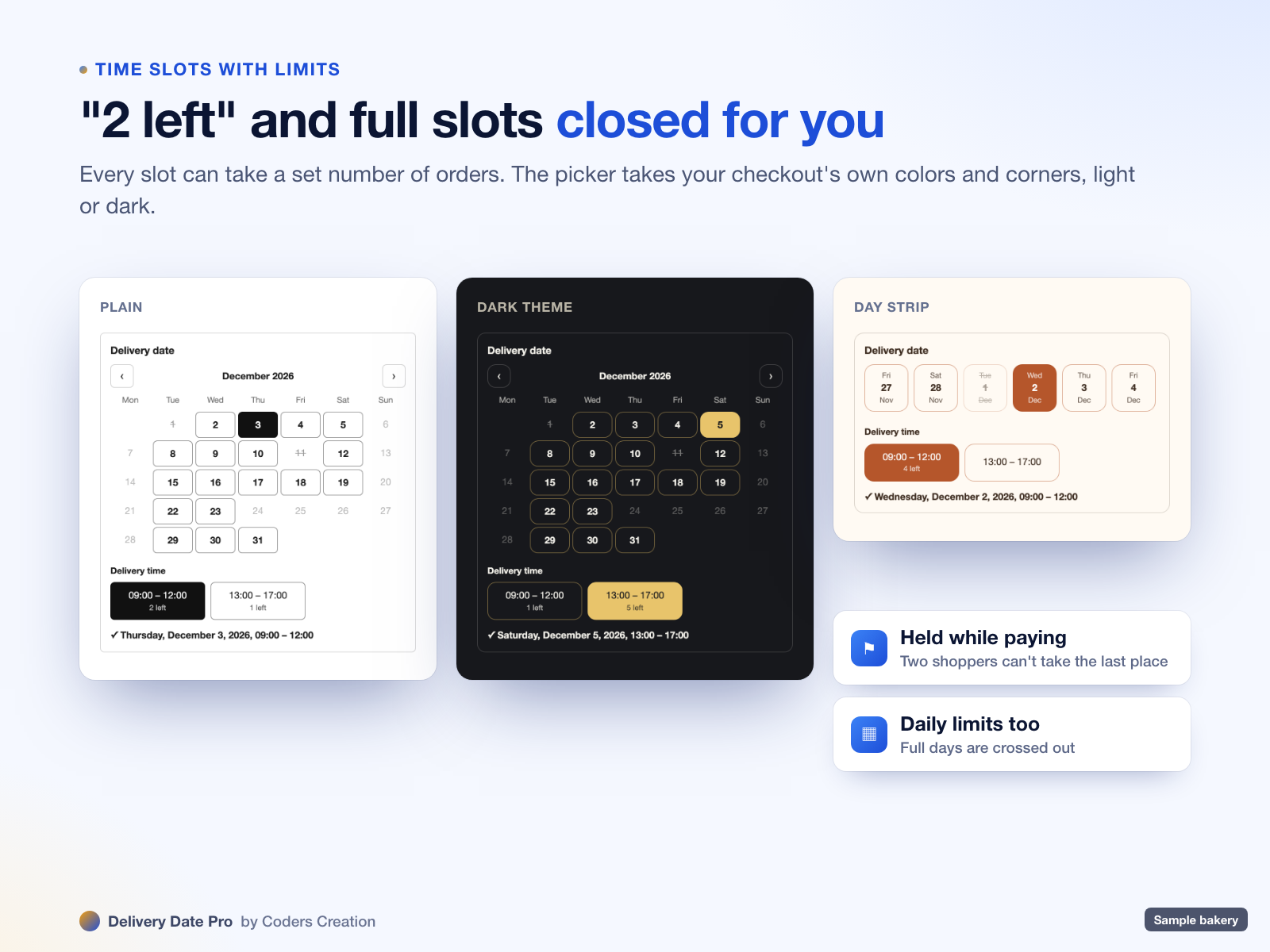
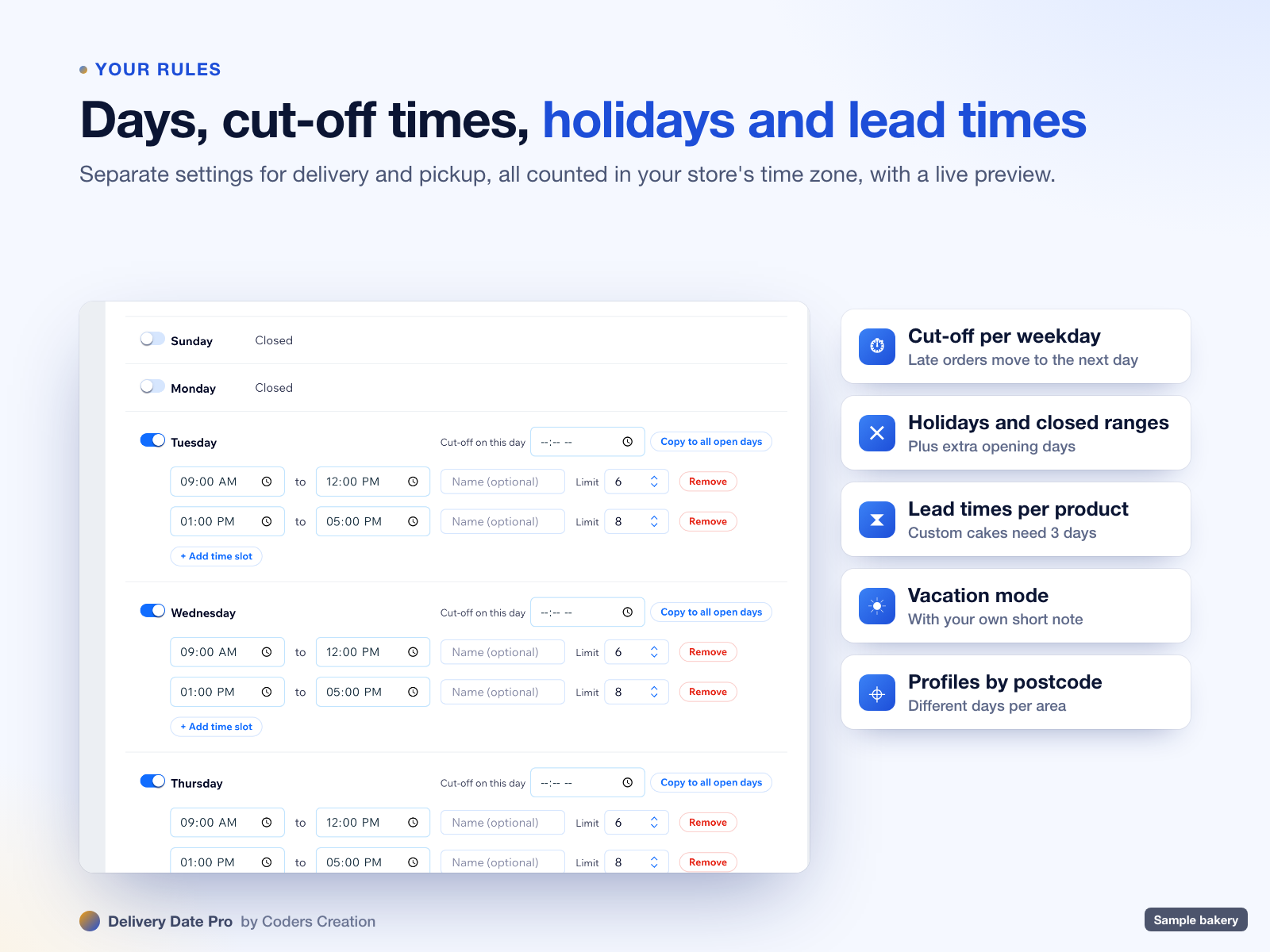
- Time slots with limits, cut-offs, holidays, lead times
- No order without a date: checkout waits for a choice
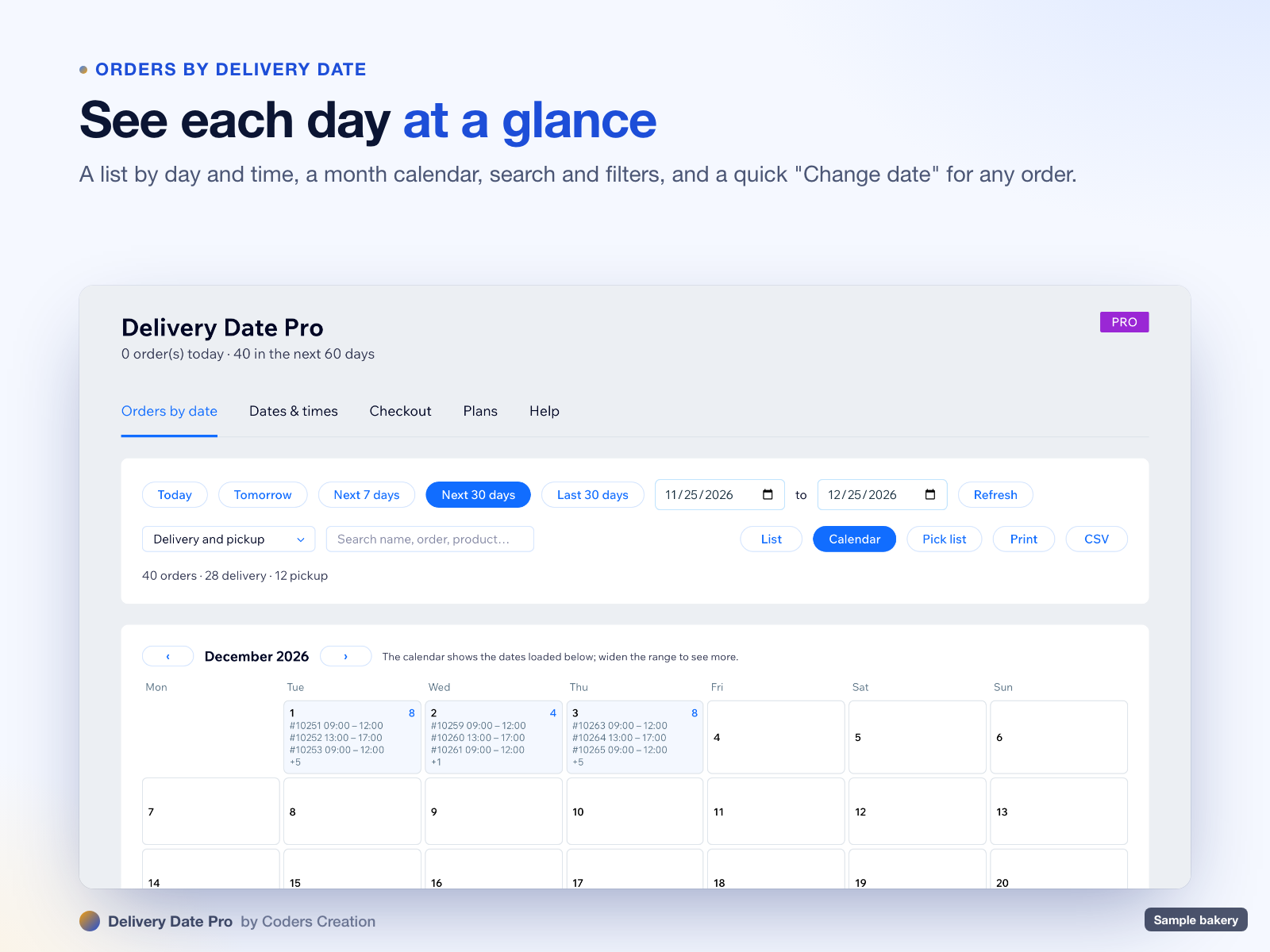
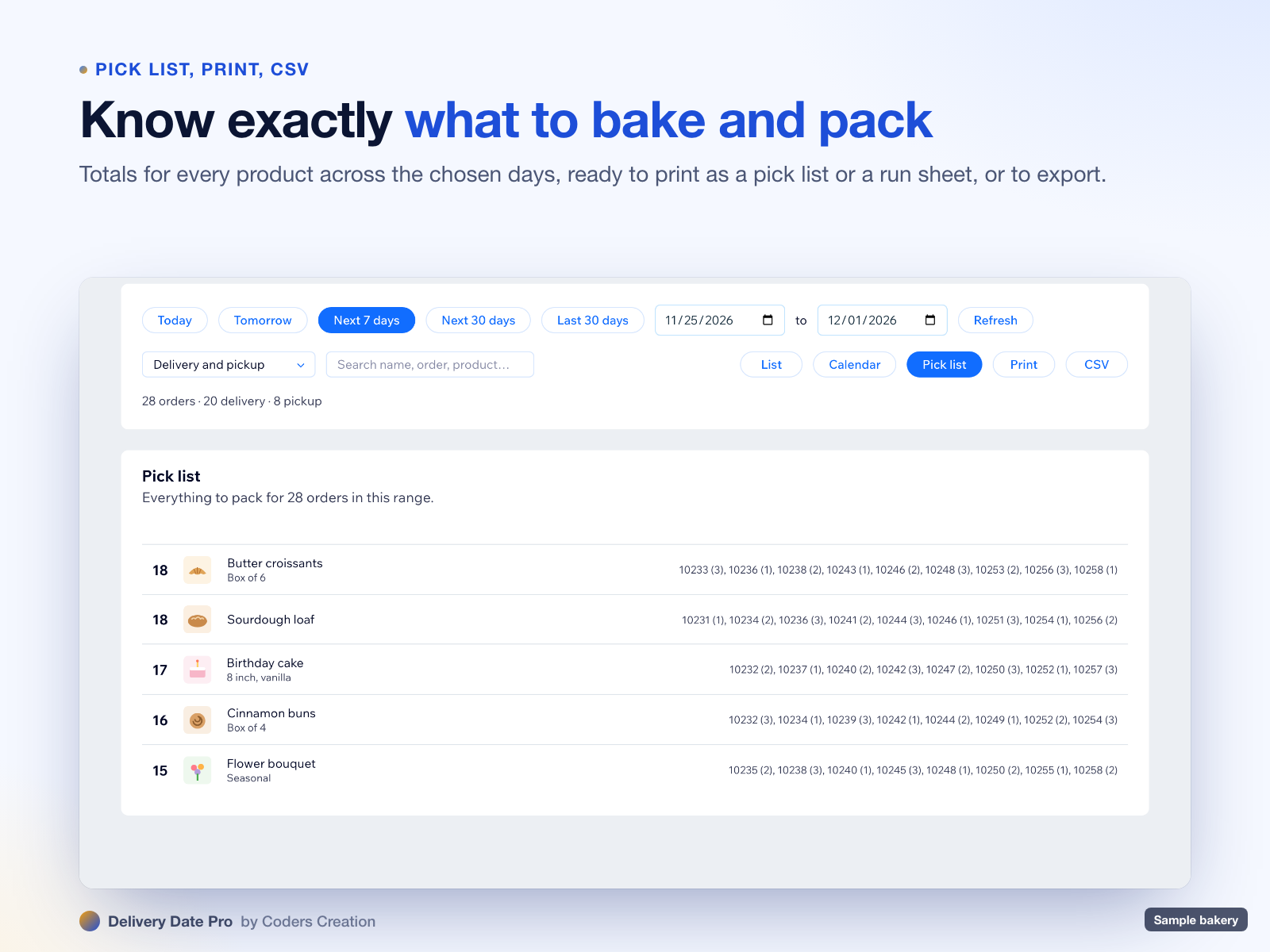
- Orders by date with calendar, pick list, print, CSV
Rating & Bewertungen
Für diese App gibt es noch keine Bewertungen.Preise & Abonnements
Basic-Paket
Kostenlos
Delivery or pickup date at checkout
2 time slots a day and a cut-off
Date saved on every order
Orders listed by delivery date
Pro-Paket
$
4
95
/Monat
Unlimited slots with per-slot limits
Holidays, vacation mode, lead times
Profiles by delivery option, postcode
Calendar, pick list, print and CSV
* Preis ist in USD.