

Online-Shop
Buchungen
Events
Pop-up

CoreXBiz Upload Print
von
Upload-to-print ordering for print businesses
Noch keine Bewertungen
Ab 83,25 $ / Monat

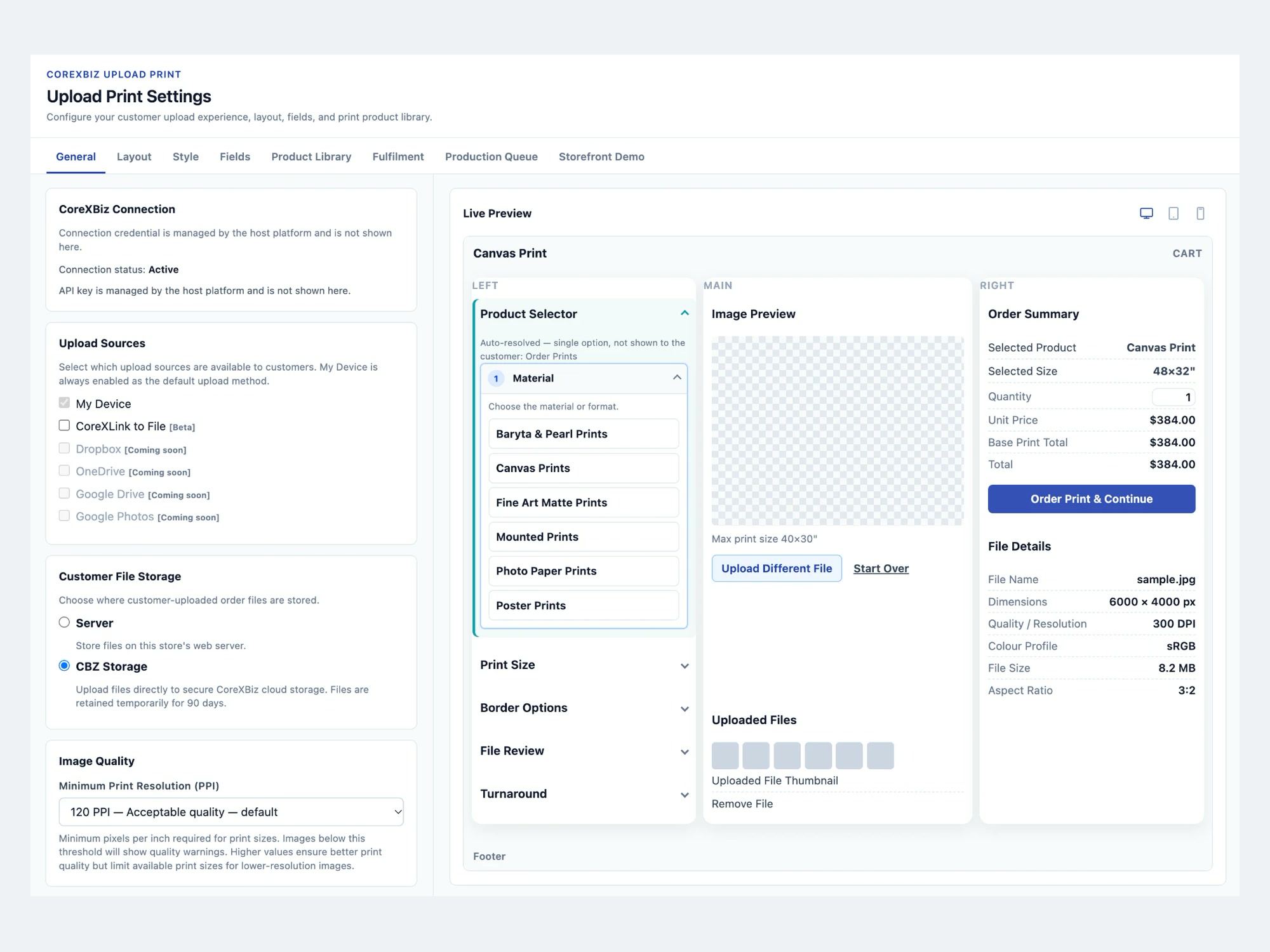
CoreXBiz Upload Print - Überblick
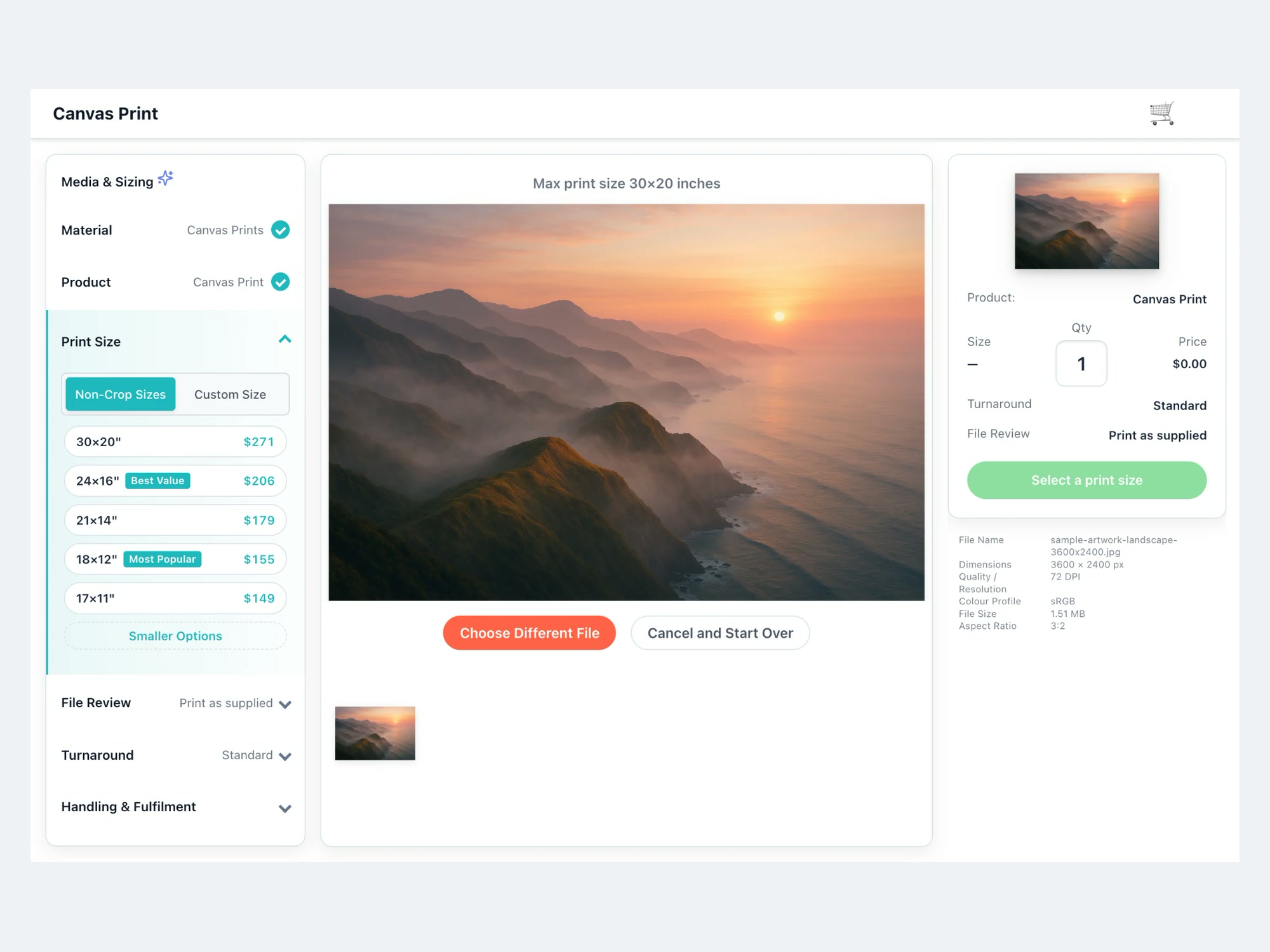
- Upload Print button on product pages for customer artwork
- Upload JPEG, PNG or TIFF artwork with preview and cropping
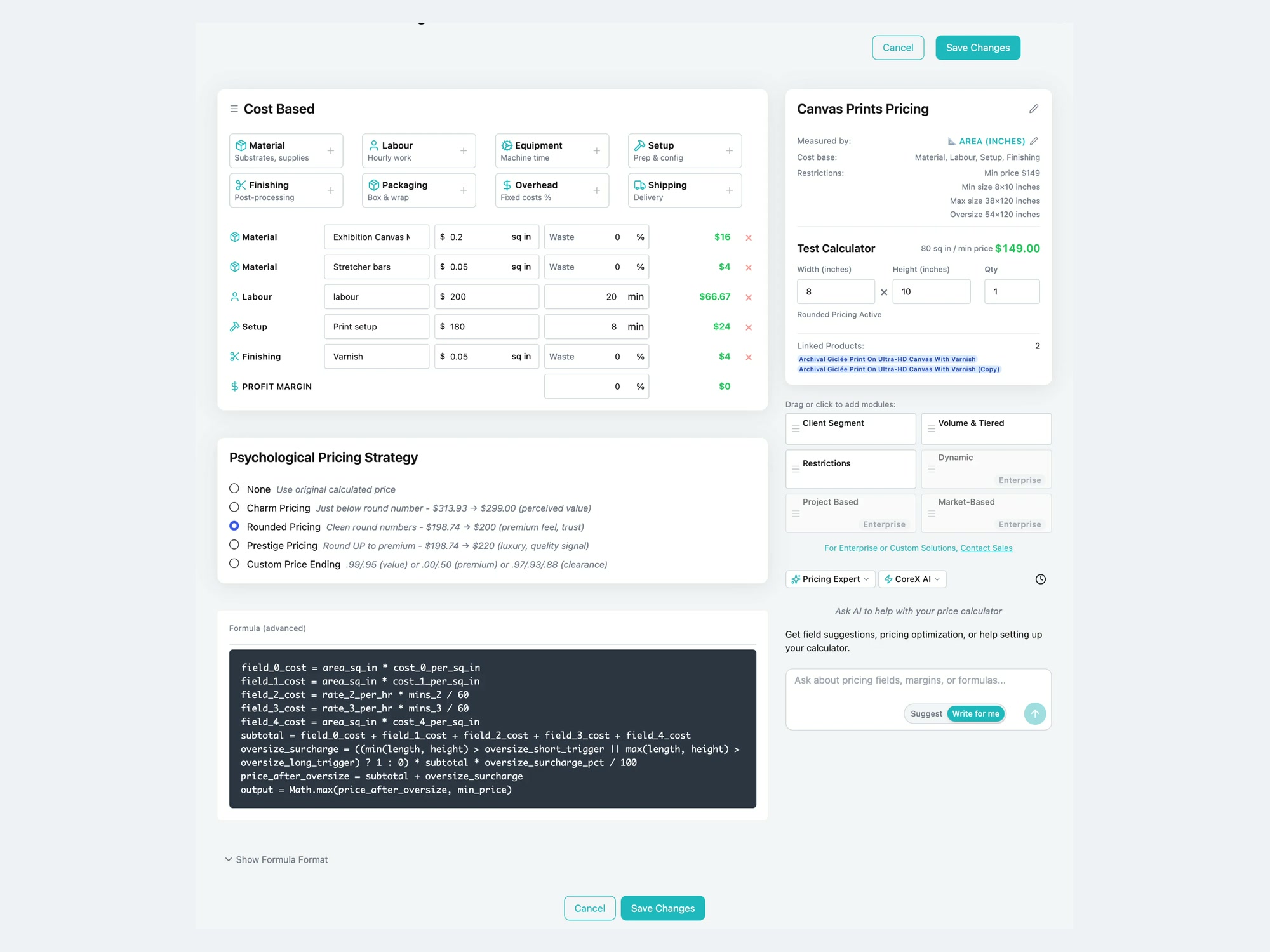
- Instant prices from your own Price Calculator, kept in cart
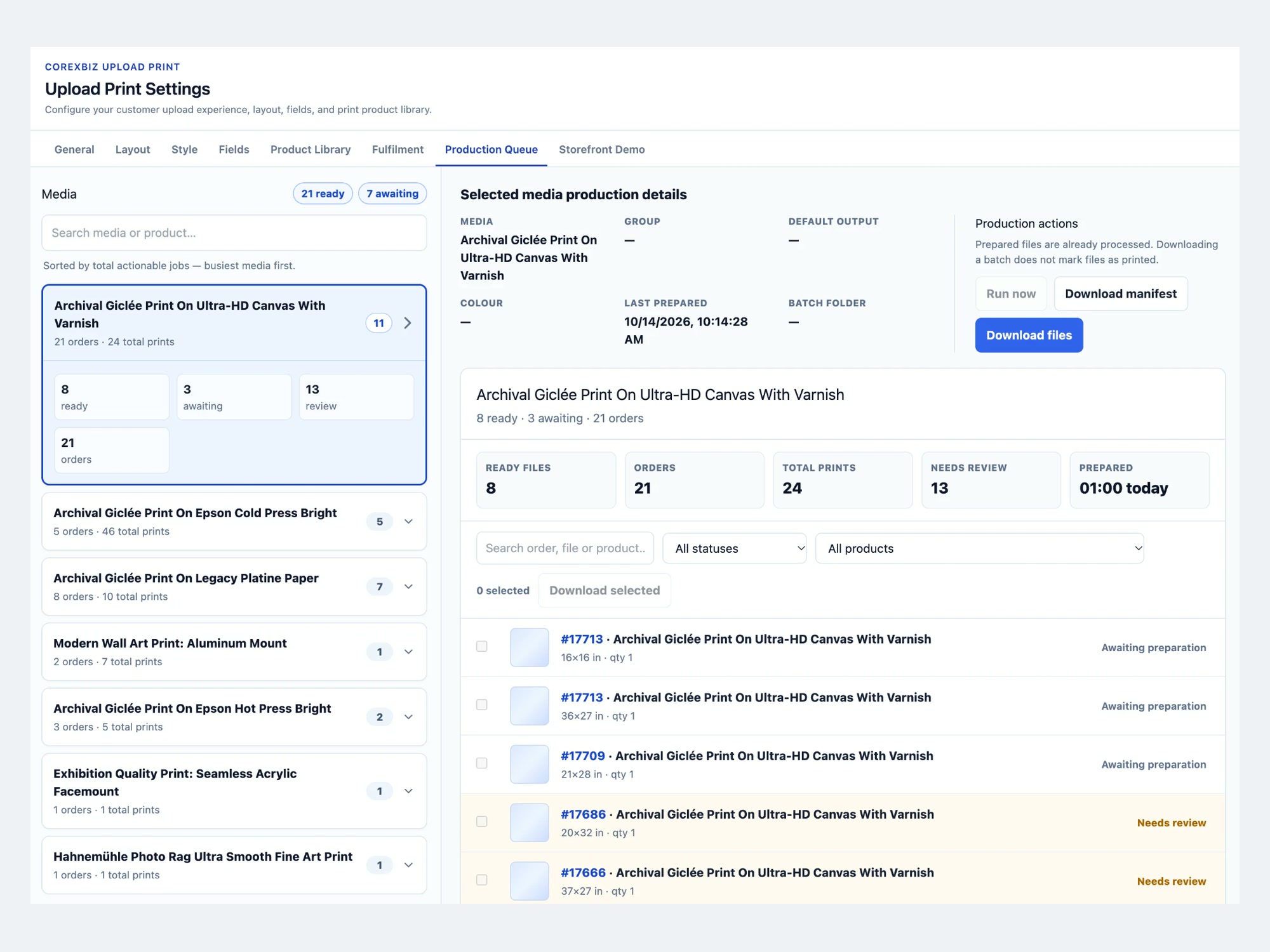
- Production Queue with each paid order's print-ready file
Rating & Bewertungen
Für diese App gibt es noch keine Bewertungen.Preise & Abonnements
Founder-Paket
$
83
25
/Monat
Artwork upload on product pages
Price Calculator pricing in cart
Production Queue with print files
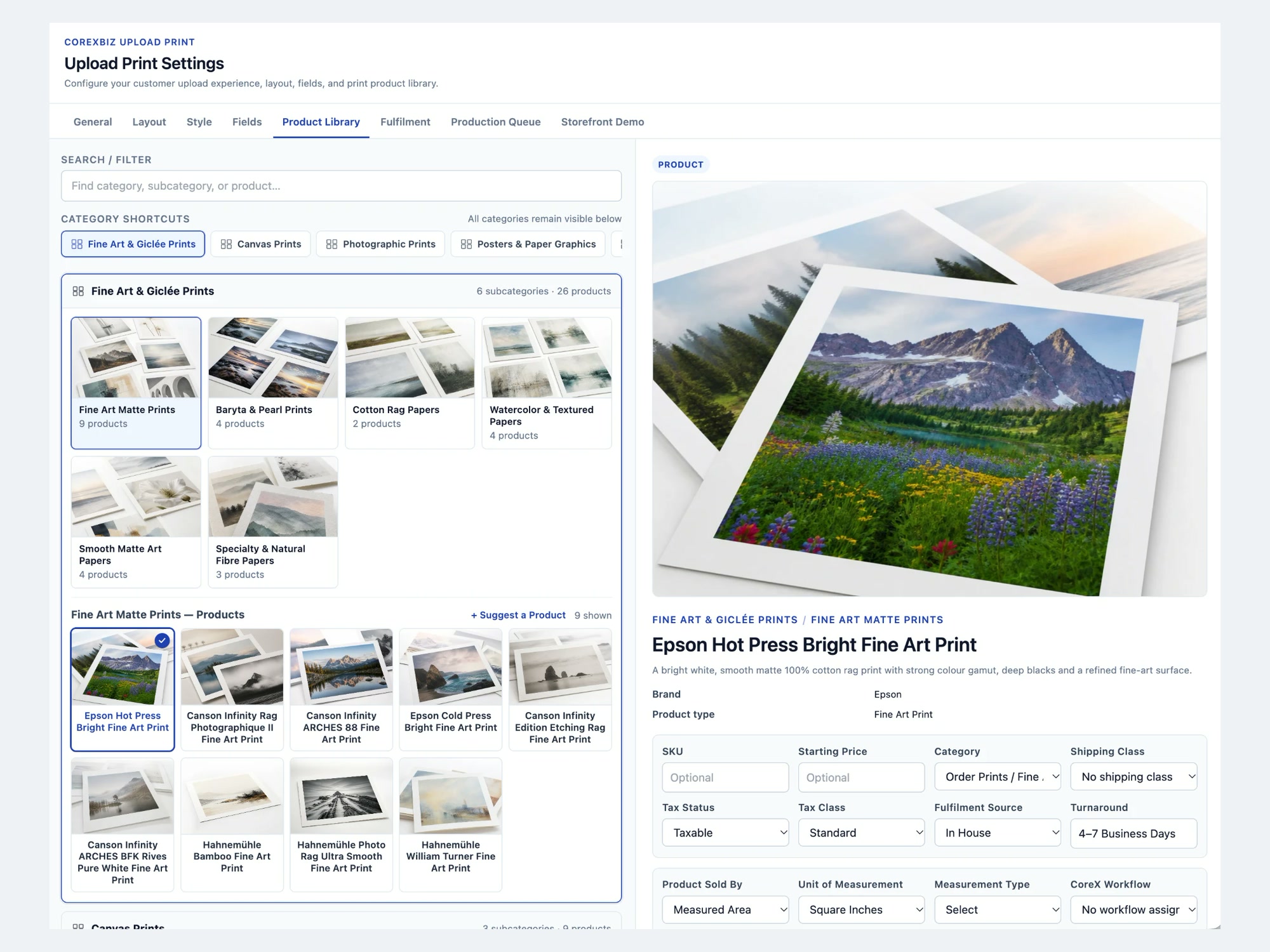
Print Product Library
* Preis ist in USD.