

Online-Shop
Buchungen
Events
Pop-up

Smart Order Fields
von
Order fields that fill themselves
Noch keine Bewertungen
Ab 8,25 $ / Monat

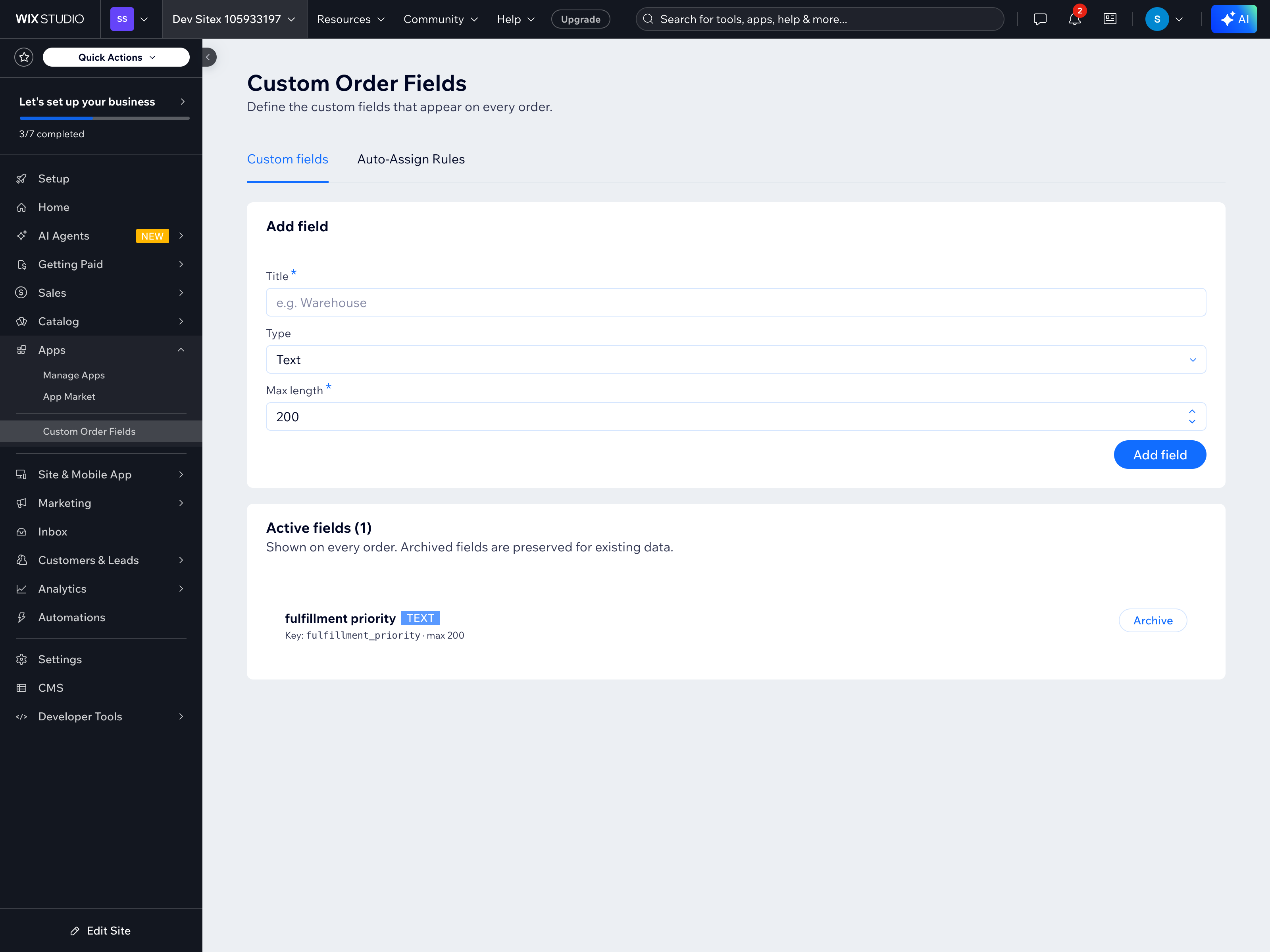
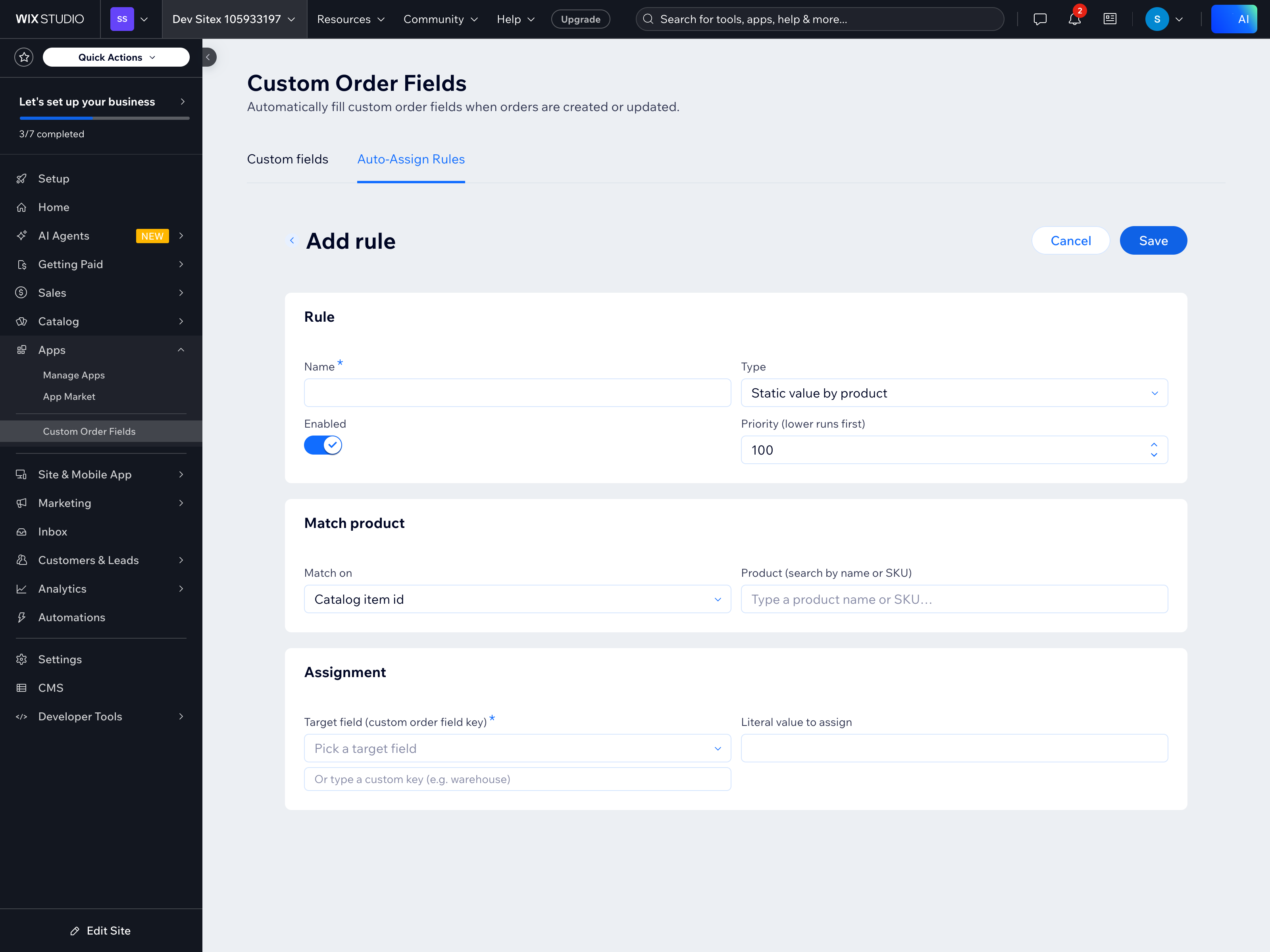
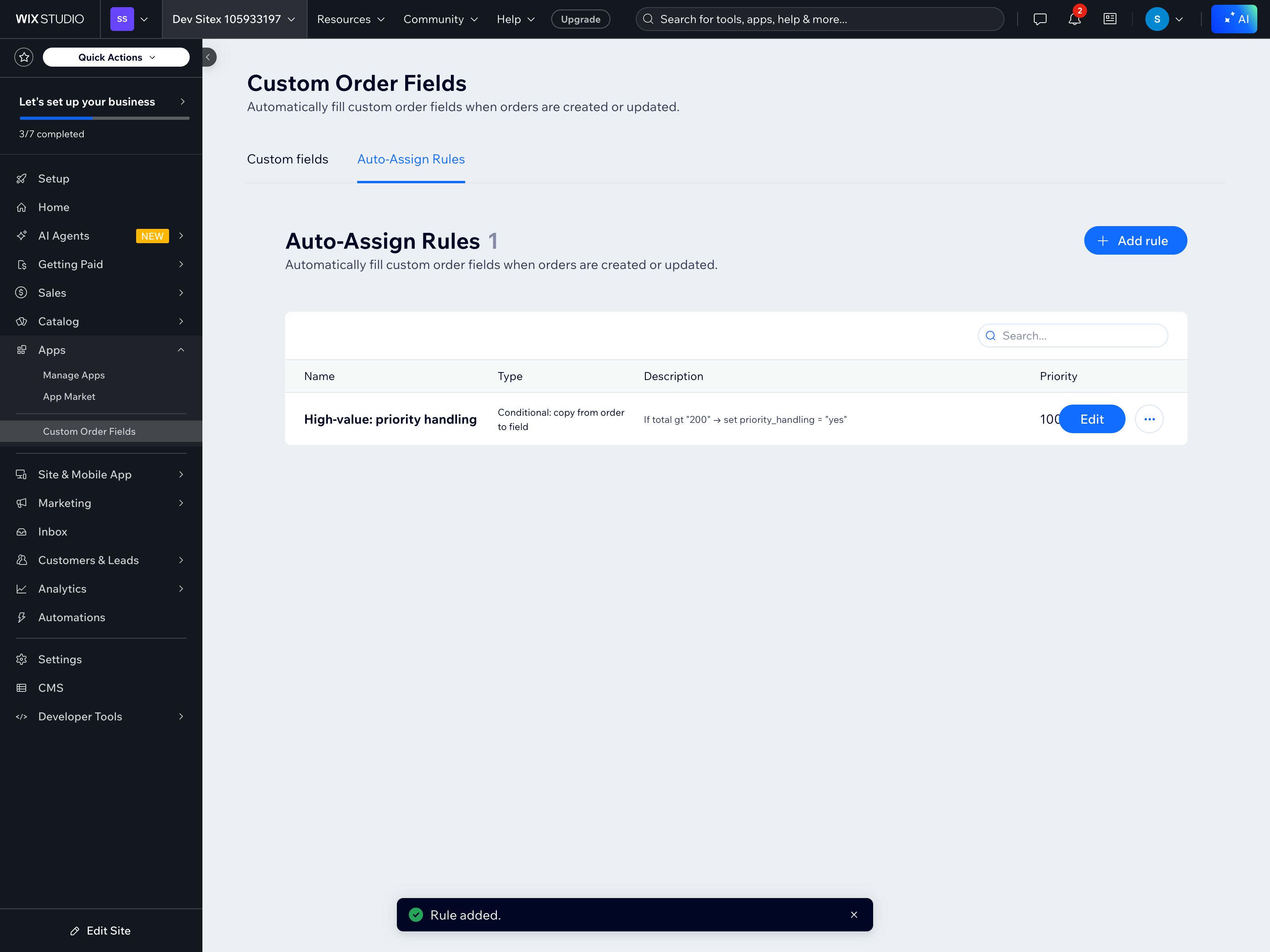
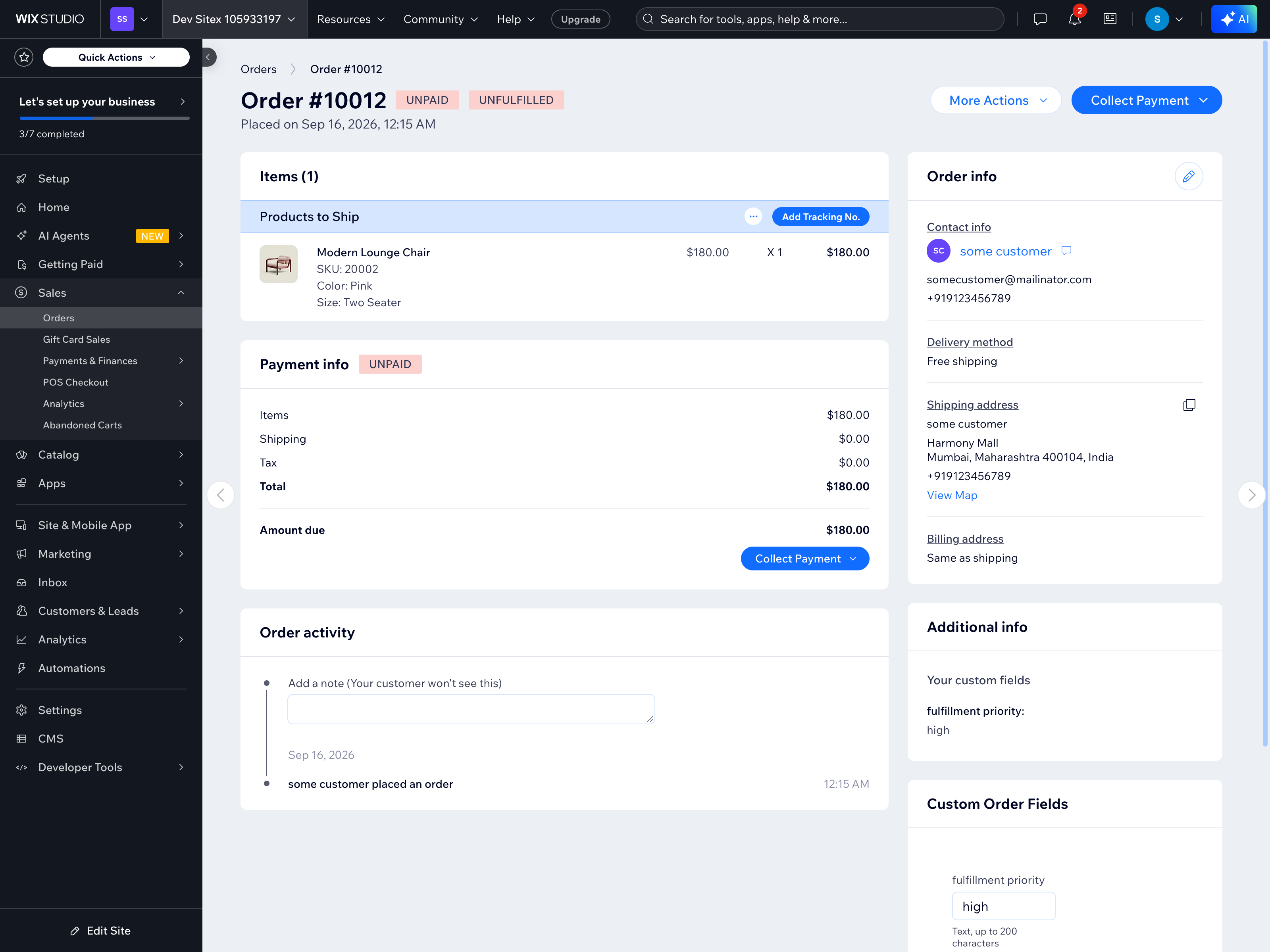
Smart Order Fields - Überblick
- Add custom fields to orders / Define any field you need — text, numbers, dates, dropdowns. Merchants see them on every order; history is preserved when you archive
- Auto-fill with simple rules / Set "when X, write Y" rules that run at checkout. No code, no developer. Orders arrive ready to ship instead of waiting on someone to type
- Archive without losing history / Hide fields you no longer use. Past orders keep their values; new orders stop collecting the field. Reverse it any time with one click
- Works with real order data / Rules can read any order key (status, country, totals, line items) and write to your custom fields. Build tagging and routing logic without leaving the dashboard
Kategorien
Verfügbarkeit:
Diese App ist weltweit verfügbar.App-Sprachen:
Englisch
Vorgestellt in
Rating & Bewertungen
Für diese App gibt es noch keine Bewertungen.Preise & Abonnements
Pro-Paket
$
8
25
/Monat
Unlimited custom fields
Unlimited rules
Archive without losing data
One-click install, no code
* Preis ist in USD.